To avoid delays in payment, please ensure that your represented talent's profile in Talentpay is complete with all required information. These details are securely stored and only accessible by payroll, your agency, and the talent.
Quick Navigation:
- Talent Profiles
- What You Need to Complete on Behalf of Talent (AU)
- What You Need to Complete on Behalf of Talent (NZ)
- FAQs (AU)
Talent Profiles
As an agent, you have permission to complete and update this information for the talent you represent. Please refer to the relevant “What You Need to Complete…” sections below ensuring all details entered are accurate and belong to the talent.
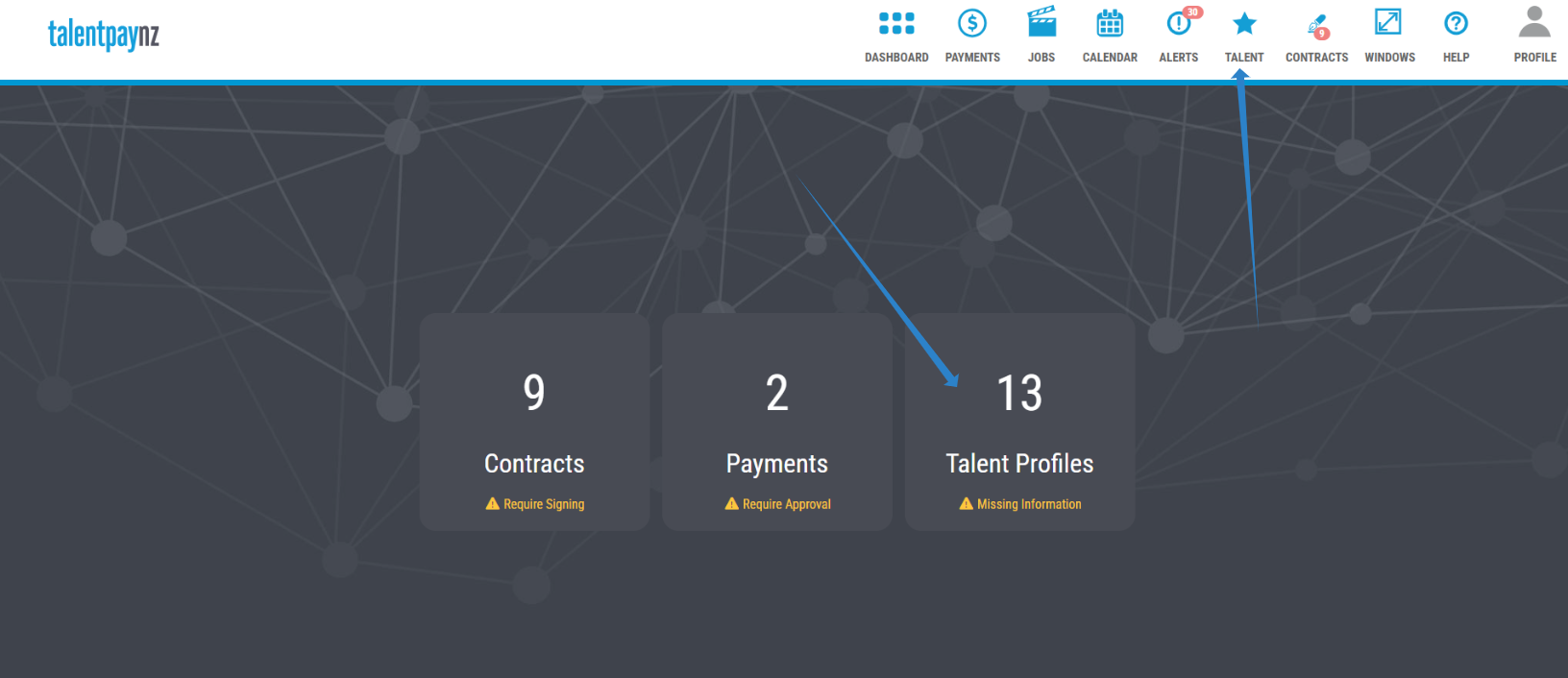
To access your talent’s profile click the Talent icon in the top navigation bar. Search for the relevant talent, then select Edit from the actions menu on the right.
We also highlight your talent that are missing important information, on the Talent Profile tile, on your dashboard. Click the tile to work through the list of talent missing important information.
Once in the profile, enter all required information on behalf of the talent in the Personal, Financial and Superannuation tabs, ensure you click SAVE/SUBMIT on each tab when you are finished.
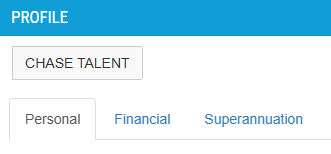
To send an email requesting the talent to complete the details themselves, click the "Chase Talent" button in the profile.
What You Need to Complete on Behalf of Talent (AU)
As an agent, you are responsible for ensuring the talent or crew member you represent has a fully completed Talentpay profile to allow payment processing.
If you are entering details on their behalf, you must ensure all information provided belongs to the talent. Do not enter your own or any incorrect information (e.g. TFN).
Personal Tab
- Legal name
- Date of birth
- Residential address
- Email or phone number
Financial Tab
- Tax details (including TFN)
- Right to Work visa (if applicable)
Superannuation Tab
- Complete the form and submit their superannuation details for verification. This verification allows us to comply with the new ATO laws about pay day superannuation where we must pay superannuation contribution on the same day as the wage.
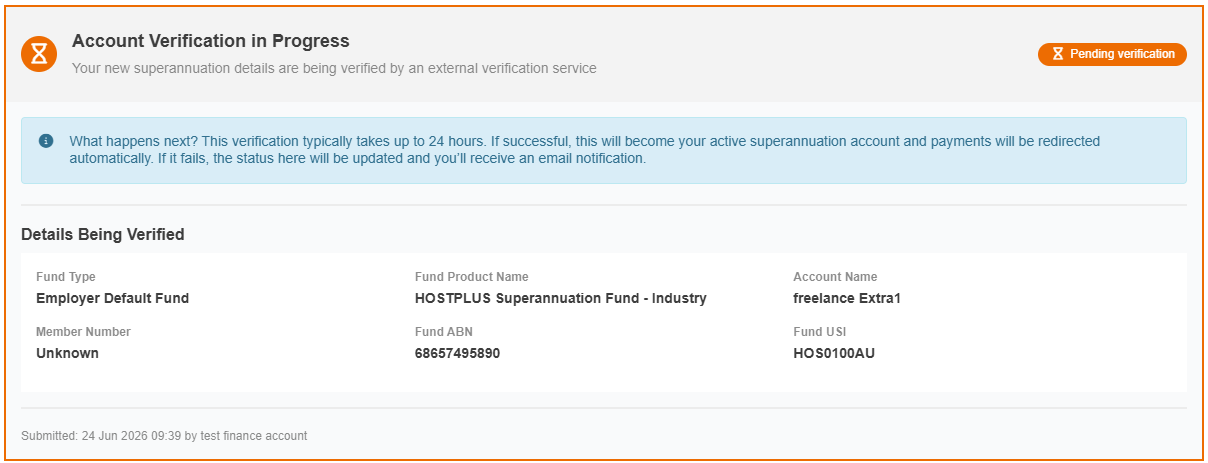
- On submission, you will see a 'pending verification' status on this tab whilst we securely check your details with an external verification service to confirm your superannuation fund account. This helps ensure the information is correct before we make payments.
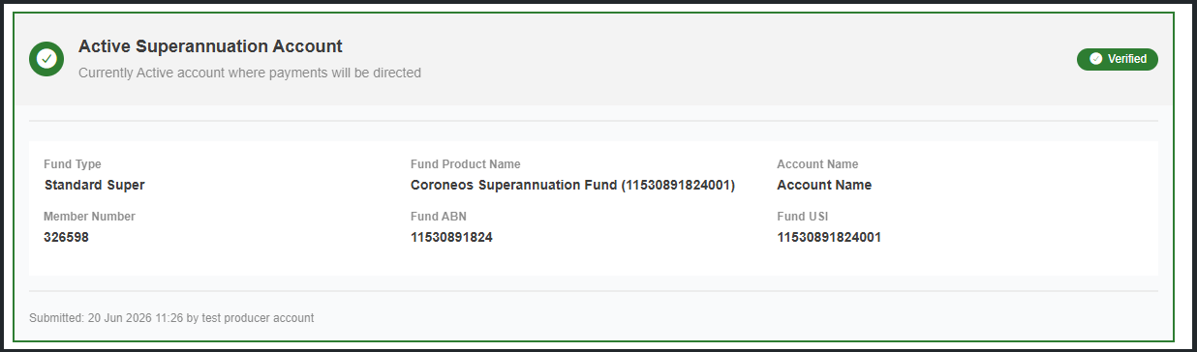
- Once verified you will see an Active status on this tab, meaning all super contributions will be paid to this account.
- If the fund details are incorrect (verification failed), you will be notified via email to correct the errors and resubmit. The status on the profile will also show this.
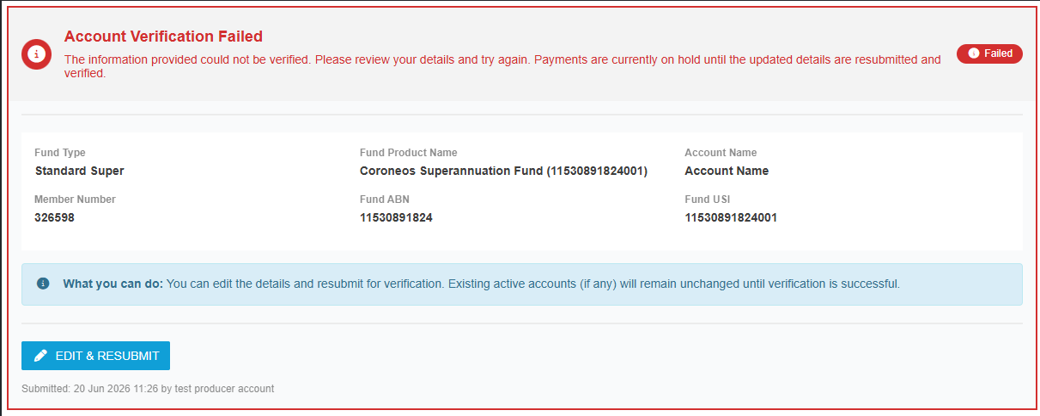
NOTE: Wages and super contributions will not be processed until we have all of the above mentioned information and a verified superannuation account to comply with ATO's payday super legislation.
For additional information about the above, please see the FAQ section at the end of this document.
What You Need to Complete on Behalf of Talent (NZ)
As an agent, you must ensure the talent’s profile is completed accurately with their information.
If you are entering details on their behalf, you must ensure all information provided belongs to the talent. Do not enter your own or any incorrect information.
Personal Tab
- Legal name
- Date of birth
- Email or phone number
Financial Tab
- Right to Work visa (if applicable)
FAQs (AU)
The talent is under 18 and does not have a super account or TFN
Children under 18 are not required to provide superannuation details.
Children under 18 who do not have a TFN may use 333 333 333, to indicate they are a minor claiming the tax-free threshold.
If a minor is earning above the monthly tax free threshold of $1,517, tax will be withheld from payment. In this instance, it may be beneficial for the minor to apply for a TFN in order to lodge a tax return at the end of financial year.
The talent does not have a super account
For talent aged 18 or over, superannuation details are required.
If Talentpay is to open a default account on their behalf, select the "Employer default fund" fund type option on the superannuation tab.
Does the talent need a TFN?
All Australian workers aged 18 and over must have a TFN.
If one is not provided, the talent may be taxed at the highest marginal rate. It is recommended they apply via the ATO as soon as possible.
Where can I upload my tax declaration form?
You can upload this in the talent's profile under the Financial tab.
How do I contact Talentpay?
For questions regarding payroll and information we require then please contact our accounts team on 1800 147 074 or accounts@talentpay.com. For technical support or troubleshooting, please contact support@talentpay.com.
Was this article helpful?
That’s Great!
Thank you for your feedback
Sorry! We couldn't be helpful
Thank you for your feedback
Feedback sent
We appreciate your effort and will try to fix the article